
How to Print a Wall Planner at Office Depot, Staples, or FedEx (US Guide)
Your home inkjet handles letter and tabloid fine. For a wall planner at 24 × 36 in or larger, you need a print shop. Here is what to expect at each of the three major US chains.

Why a print shop beats a home printer for large-format work
Large-format inkjet printers use rolls of paper rather than cut sheets. They can print at widths of 24, 36, or 44 inches with no tiling or reassembly. The ink systems are designed for poster-grade output — sharper lines, more consistent colour, and no banding across a large sheet.
The cost per print is also lower than you’d expect. A single 24 × 36 in colour poster on matte paper typically runs $15–40 depending on the chain, location, and paper grade. That’s comparable to the ink and specialist paper you’d consume trying to produce the same print at home — and the result is cleaner.
All three major chains accept PDF files. You can upload from their website and pick up in store, or walk in with a USB drive. Either method works; uploading online usually saves time at the counter and lets you preview the order before you approve it. Before you go, make sure your file is a proper vector PDF — a raster image will look soft at poster sizes.
Office Depot and OfficeMax
Office Depot and OfficeMax are the same chain post-merger and share the same print services. Their large-format capability goes up to 36 × 48 in as a standard poster size. Pricing for a colour poster on standard matte poster paper is approximately $2–8 per square foot, which puts a 24 × 36 in print at roughly $12–24 depending on paper grade and location. Prices are approximate and vary — always confirm before you commit.
In-store turnaround is typically same-day or next-day for standard sizes. Online orders can ship to you if you don’t have a store nearby, though shipping adds time and cost. Walk in with your PDF on a USB drive or email it to the store in advance using the copy and print request form on their website.
When you place the order, tell them: “Matte finish, no scaling, print at 100 per cent of the file size.” If they ask about paper weight, 100 lb text (roughly 150 gsm) or 80 lb text (roughly 120 gsm) are both reasonable choices for a wall planner. For a full paper weight reference, see our paper guide.
Staples
Staples offers similar large-format poster printing and is a strong option if there’s a location close to you. Pricing is comparable to Office Depot — expect roughly $15–30 for a 24 × 36 in colour poster, though pricing can vary by location and paper finish. They also offer an online order and ship option, which is useful if you want the planner mailed directly.
One advantage of Staples is their same-day in-store service at most locations for standard poster sizes. Upload the file on their website before you head over, select “large format prints,” pick matte paper and the size closest to what your PDF is designed for, and confirm no scaling. You can usually pick it up within a few hours.
If the staff offer to “fit to page” or “resize to fit the paper,” say no. For a vector PDF like PlainPlan, you want the file printed at its native dimensions. The shop can trim the margins after printing if needed. Read our guide on printing at any size for more detail on ISO vs. US poster sizing.
FedEx Office
FedEx Office has the widest large-format capability of the three chains and tends to be the most consistent in quality across different locations. They can print up to 60 inches wide and handle A0 (33.1 × 46.8 in) equivalents without issue. If you need the largest possible wall planner or want to match an ISO A size precisely, FedEx Office is the most reliable bet.
Pricing for a colour poster on matte or satin paper starts around $3–10 per square foot, putting a 24 × 36 in print at roughly $18–40. Premium paper options (heavier stock, canvas, foam board mounting) are available for more. Turnaround for standard sizes is typically same-day at most locations. All prices are approximate — check fedex.com/print for a live quote.
FedEx Office also has the best self-service upload portal of the three. Go to fedex.com/print, upload your PDF, select “poster,” choose your size and paper, and specify no scaling. The online preview is reliable enough to catch any sizing issues before you arrive to collect. You can also use Adobe Acrobat’s poster print settings to prepare your file before uploading.
The engineering print: a cheap large-format alternative
If colour isn’t critical, ask about an “engineering print.” This is a large-format black-and-white print on thin bond paper, often used for architectural drawings and blueprints. At FedEx Office, an 18 × 24 in engineering print starts at around $2.70 in black and white. A 24 × 36 in print typically runs $2–$5 at most FedEx Office and Office Depot locations — a fraction of the colour poster price. Prices are approximate and vary by location.
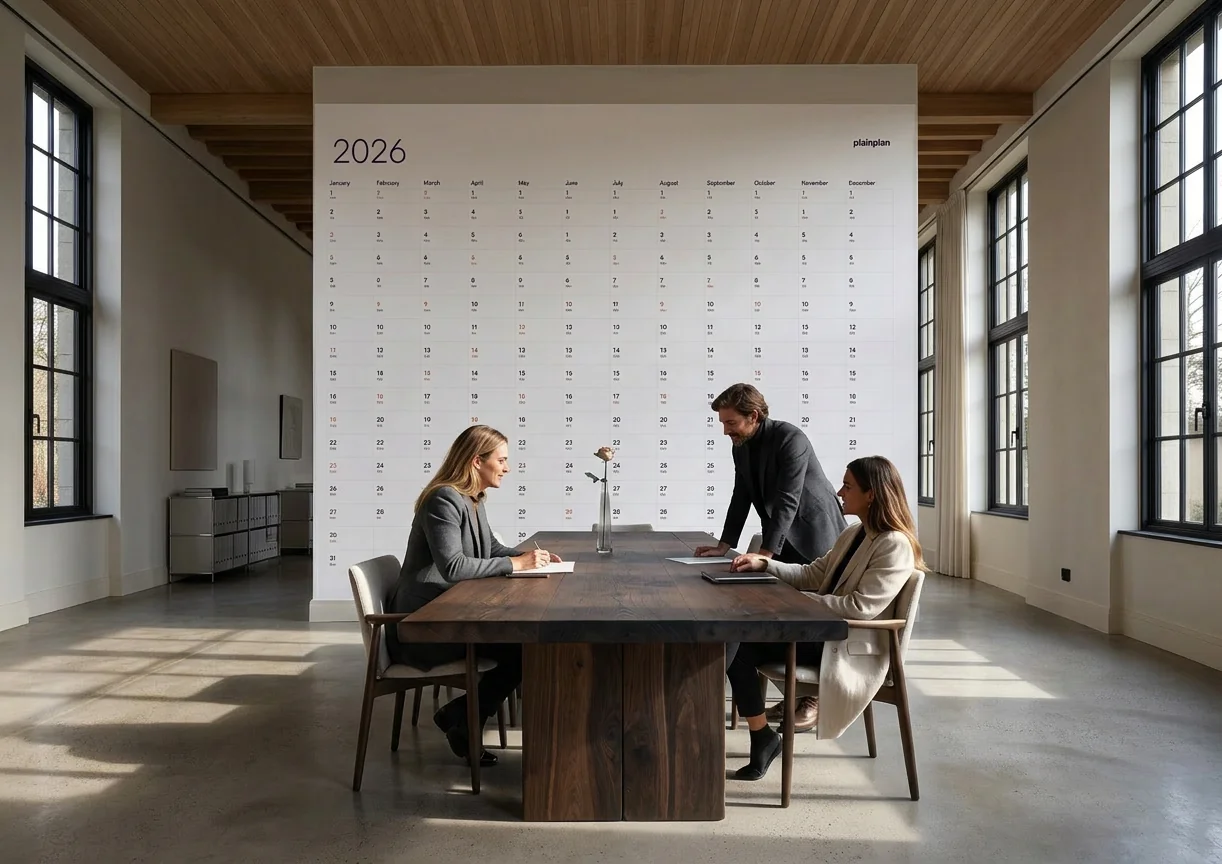
For a minimal, line-based planner design — which is exactly what PlainPlan is — an engineering print looks perfectly clean. The paper is thin (roughly 75–80 gsm), so you’ll want to tape it to the wall or frame it rather than hang it with a single clip, but the printed result is sharp and readable.
Engineering prints are available at most FedEx Office locations and many Office Depot stores. Ask specifically: “Can I get an engineering print of this PDF at 24 by 36, no scaling?” Some staff may call it a “blueprint print” or “CAD print.” It’s the same product.
File prep checklist before you go to the counter
Bring a PDF, not a JPG or PNG. PDF preserves vector data, which means the shop’s RIP software can render lines and text at full resolution regardless of the print size. A JPG exported at screen resolution will look pixelated at poster sizes.
Tell the staff three things: the file format is PDF, you want it printed at 100 per cent (no scaling), and you want matte paper. If they ask what size, give them the dimensions in inches. If the file is A1 (23.4 × 33.1 in), the closest standard US poster size is 24 × 36 in — a small amount of white border will appear, which is fine.
Check the print preview before approving. All three chains will show you a digital proof either online or on a screen at the counter. Verify that the content fills the sheet as expected and that no text is cut off at the edges. Once you approve, the output matches the preview.

Frequently asked questions
Pricing is similar across all three chains for standard colour posters. The cheapest large-format option at any of them is an engineering print (black and white), which costs roughly $2–$5 for a 24 × 36 in print at FedEx Office or Office Depot. For colour, expect $15–$40 for the same size. Always get a quote online or in store before committing — prices vary by location.
Yes, all three chains have online upload tools. FedEx Office has the most reliable preview; Staples and Office Depot also allow online orders with in-store pickup. Uploading ahead saves time at the counter and lets you catch any sizing issues before you go.
Ask for matte finish at 120–160 gsm (or 80–100 lb text in US terms). Matte is the only finish you can reliably write on with a pen. Glossy looks vivid but reflects glare and smears ink when you try to annotate. Tell them: “Matte finish, no scaling, 100 per cent.”
An engineering print is a large-format black-and-white print on thin bond paper — the same technology used for architectural blueprints. For a minimal, line-based design like PlainPlan, the output is sharp and readable. The paper is thin (~75–80 gsm), so frame or tape it rather than hanging with a clip.
Sources
Print your year.
One file. Any wall. Always sharp.