
What Is a Functional Planner? (And How to Set One Up Without Overcomplicating It)
A functional planner is one you actually use every day to make real planning decisions — not to journal, not to decorate, not to feel organised while still missing deadlines.

What “functional” actually means
A functional planner is one you use every day to make real planning decisions. Not to journal. Not to decorate. Not to feel organised while you’re still missing deadlines. A functional planner helps you decide what to do and when — and it gets out of the way the rest of the time.
The word “functional” in planner context means: fit for purpose. A functional knife cuts food. A functional planner helps you plan. The distinction matters because a lot of popular planners are designed around a different goal — building a habit of reflection, providing a space for gratitude lists, selling the feeling of being organised.
Those things have value. But they are not planning. Planning is the act of deciding in advance: this happens on this date, these tasks happen this week, this project needs to start in order to finish on time. A functional planner needs to handle that work reliably. It should make your commitments visible, let you spot conflicts before they happen, and be fast enough to use without friction.
Why most people abandon expensive planners by March
The Hobonichi Techo, the Full Focus Planner by Michael Hyatt, the Passion Planner — these are well-made products. They work for a significant number of people. They also have unusually high abandonment rates, and the reason is consistent: the system is more complex than the user’s actual planning needs.
January is full of energy. The weekly review section gets filled in. The quarterly goals page looks great. By February, the daily pages have gaps. By March, the planner is sitting on the desk but not being opened.
This isn’t a discipline failure. It’s a mismatch. Most people don’t need a full daily log, a habit tracker, a project breakdown, and a reflection prompt every single day. They need to know what’s coming and what to do today. That’s it. The more complex the system, the higher the maintenance cost — and when life gets busy, high-maintenance systems collapse first.
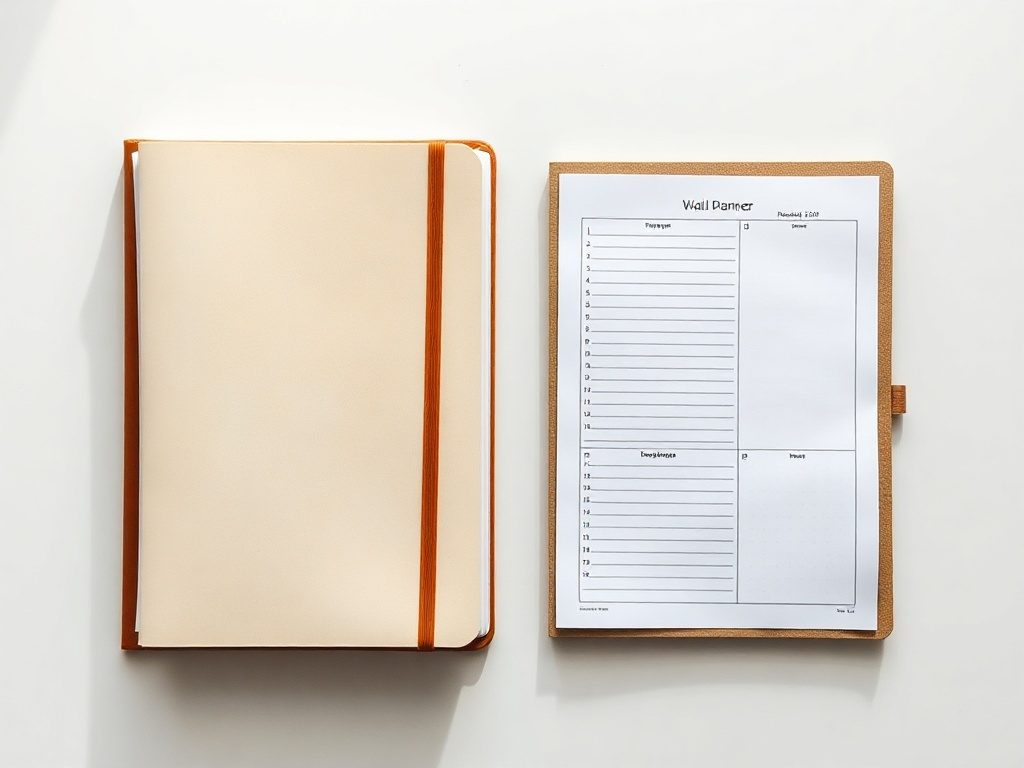
The two-tool system: wall planner and daily notepad
The simplest functional planning setup is two tools: a wall planner for the year and month view, and a daily notepad for today’s tasks. Each does one thing. Neither tries to do both.
The wall planner handles temporal context — when things are happening across weeks and months. It lives on your wall and works passively. A glance on your way to the kitchen is enough. The daily notepad handles execution: what you’re doing right now. A plain A5 pad, a legal pad, a cheap spiral notebook — it doesn’t matter. You write today’s three most important tasks, work through them, and you’re done.
The combination covers every planning need most people actually have. Year view for context, day view for action. Nothing in between that needs maintaining. If you’re not sure how to structure the year view, how to use a wall planner walks through the full setup. For the wider picture of fitting 12 months on one surface, year at a glance explains the value of that format.

What goes on a wall planner (and what doesn’t)
A wall planner works best when it holds fixed-date items: events, deadlines, trips, school terms, recurring commitments. Things that don’t move. When these are visible at a glance, you plan around them rather than into them.
What doesn’t belong on a wall planner: daily tasks, to-do lists, appointments with times. Those live in a daily notepad or a digital calendar. Mixing fixed events with daily task lists on a wall planner is how it becomes unreadable.
The rule of thumb: if it has a date and it’s important enough to affect your other planning decisions, it goes on the wall planner. If it’s something you’ll do on a specific day and then forget about, it goes in the daily notepad. The one-page 2027 calendar format takes that idea to its logical conclusion.
Setup in 20 minutes: print, mount, block the big stuff
Print your planner. For a home wall, A2 is readable and manageable. For a larger command centre, A1 gives you more writing space per day. PlainPlan is a vector PDF, so it prints sharp at any size.
Mount it somewhere you pass every day. Eye level, good lighting. Not behind a door. The point is ambient visibility — it only works if you see it without trying.
Block out the non-negotiables first: public holidays, school terms, any known travel, recurring annual events. Use pencil so you can adjust. Once the fixed structure is down, look at what’s left. That’s your available time for the year. The whole process takes 20 minutes. Most of that is printing and mounting.
What makes PlainPlan functional
PlainPlan has two layouts — Vertical and Square — and very little else. No habit trackers. No mood logs. No inspirational text. The entire design is allocated to writing space and readability.
The grid is clean enough that you can actually read what you’ve written. The lines are light enough that your handwriting reads clearly against them. The months are sized so a normal word or two fits in each day cell without squinting.
It’s a vector PDF, which means you print it once and it’s sharp at A4, A3, A2, or A1. No pixelation, no blurry text. One file covers every print size you’d reasonably want. The goal isn’t to sell you a system — it’s to give you the wall component of a two-tool setup that actually holds up past February.
Frequently asked questions
A functional planner is one that reliably supports planning decisions — making commitments visible, surfacing conflicts before they happen, and being fast enough to use without friction. If it does that, it’s functional. If it prioritises reflection, decoration, or journaling over planning, it’s something else.
No. A well-designed printable wall planner and a cheap daily notepad cover most people’s planning needs entirely. Expensive planners often add complexity that increases abandonment — the maintenance cost rises exactly when you need the system most.
For annual-level context, yes — and often better, because it’s always visible. For time-specific appointments and task management, a digital calendar handles things a wall planner can’t. The two work well together: wall planner for the year view, digital calendar for the day view.
At setup (30 minutes at the start of the year), at the end of each quarter (20 minutes), and whenever a significant fixed date changes. Between those moments, the wall planner works passively — no daily maintenance required.
Sources
Your year. Your wall.
One file. Any wall. Always sharp.