
How to Use a Wall Planner: The Complete Setup Guide for 2027
A wall planner is not a diary or a project management tool — it is one thing: a year-at-a-glance view. Here is how to set one up for 2027, what belongs on it, and how to keep using it past February.

Print and Mount: Size, Position, Paper
Before you fill anything in, get the physical setup right. A planner you can’t easily read from across the room will be ignored within two weeks.
Size matters more than most people expect. A4 gives you a compact overview — fine for a desk or a narrow wall gap, but too small to write legibly in the day cells. A3 is the minimum for kitchen or office use. A2 is comfortable. A1 is the command-centre format for families or teams who need multiple people to write on it. Because PlainPlan is a vector PDF, every size prints sharp — you pick the size based on your wall and your pen size, not on pixel count.
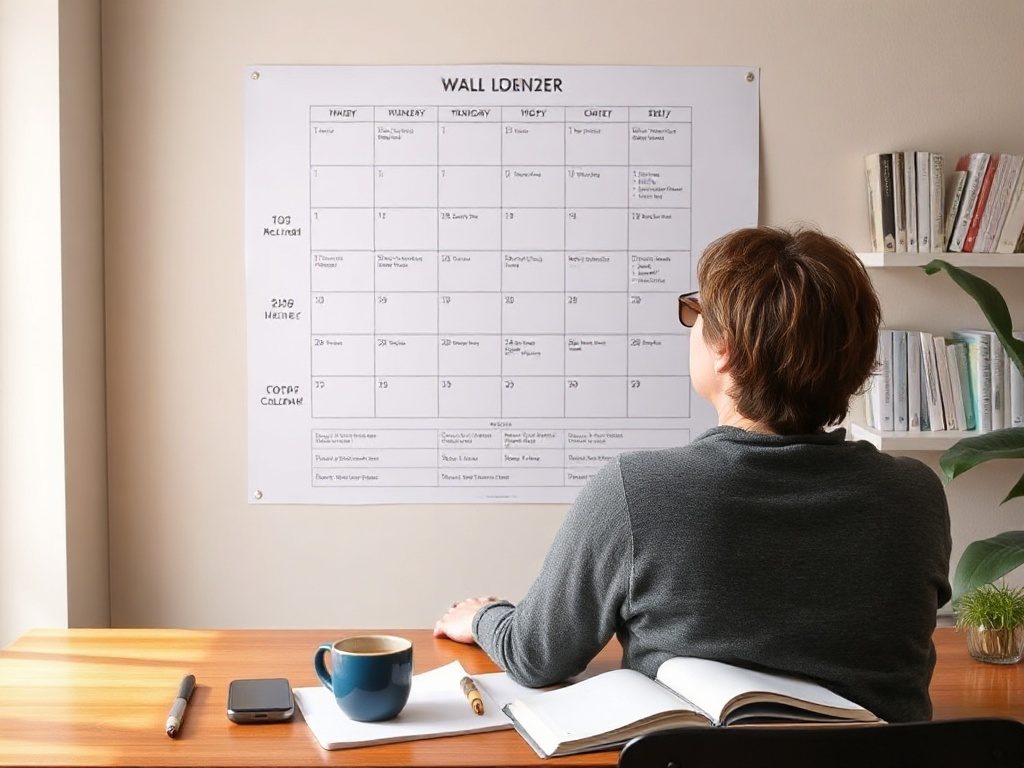
Where you hang it determines whether you actually use it. The best position is a wall you walk past every day: a kitchen, hallway, or the space directly above your desk. Avoid behind-the-door positions and walls you only see when seated. The planner works by being passively visible — you glance at it while making coffee and the upcoming bank holiday registers without any deliberate action.
Mounting options: command strips if you want to avoid holes, a poster frame if you prefer something that looks finished, or simple masking tape during a trial period before you commit to a position. Level it properly — a crooked planner is distracting enough to reduce use.
Decide What Goes On It — and What Doesn’t
The most common mistake with a new wall planner is treating it like a master calendar. Every appointment, every reminder, every grocery-run note ends up on it. Within a month the planner is unreadable and people stop using it.
A wall planner is for fixed, significant dates that need to be visible at a distance and in context with other fixed dates. The right things to put on it: public holidays, school terms and breaks, known travel dates, family events (birthdays, anniversaries, visits), quarterly work deadlines, project milestones, and any multi-day commitments that affect how you plan around them.
What does not belong: daily appointments, recurring tasks, shopping lists, meeting times, or anything that changes week to week. Those live in your calendar app or a notebook. The wall planner is for the skeleton of the year — the fixed points that everything else schedules around.
A useful test: if a date would matter to someone else in your household or team when planning their own schedule, it belongs on the wall planner. If it only matters to you on that specific day, it belongs elsewhere.
The First Fill: Start With What You Already Know
Sit down with the planner, a fine-tip pen, and about 30 minutes. The goal of this session is to fill in everything you already know for 2027 — not to plan the future, just to record the fixed points.
Start with public holidays for your country. Then add school term dates if they affect your schedule. Then travel: any trips that are already booked or very likely. Then recurring family dates: birthdays, anniversaries, school events, sports seasons. Then work: known project deadlines, launch dates, reporting periods, performance reviews.
Use consistent shorthand. Long labels in small cells become illegible fast. “HO” for holiday, “T” or a dot for travel, initials for people. Create a small legend in a corner of the planner so anyone else can read it.
After 30 minutes you should have a planner that is partly filled and immediately useful. You will see things you had not noticed before — how close two deadlines are, which holiday falls on a Monday, how little time there is between Christmas and the start of Q1. That is the value of the year-at-a-glance view: patterns that are invisible when you look one month at a time.

The Weekly Review: Five Minutes, Same Time Every Week
A wall planner filled once and never revisited is decoration. The ritual that keeps it useful is a weekly review — five minutes, the same time every week, looking ahead rather than back. David Allen’s GTD methodology describes the weekly review as the cornerstone habit that keeps any planning system alive and trustworthy.
Sunday evening or Monday morning works well for most people. Stand in front of the planner and scan the next three to four weeks. Ask: what is coming that I haven’t prepared for? Is there a travel date or deadline that needs a task to be done the week before? Is anything conflicting that I haven’t noticed yet?
This is also when you add new dates. A trip gets confirmed — it goes on the planner. A project deadline shifts — you update it. The planner stays accurate because you have a fixed moment to maintain it, not because you try to update it the moment things change. For a deeper look at the annual version of this habit, see How to Run an Annual Review With Your Wall Planner.
Five minutes is the right length. More than ten minutes and the review becomes a planning session, which is a different activity. The wall planner review is a scan, not a session.
The Monthly Reset: Mark Done, Carry Forward
At the end of each month, spend a few minutes doing a light reset. Mark completed events — a small tick or cross over the cell is enough. This gives you a visible sense of progress and makes it immediately clear when you look at past months whether something happened or not.
Check for anything that was planned but did not happen. If it still matters, move it to the correct date in the upcoming month. If it no longer matters, strike it out. Do not leave ghost entries sitting there — they create clutter and make the planner harder to read at a glance.
The monthly reset also surfaces a useful pattern over time: which kinds of plans consistently slip, and which kinds stick. After a few months you will notice whether your travel plans shift, whether work deadlines are reliable, or whether certain recurring events always get rescheduled. That information is valuable for how you plan the rest of the year.
End-of-Year Review: The Planner as a Retrospective
Most people take down their planner in December and throw it away. That misses one of the most useful things a completed year-at-a-glance planner can do: show you what your year actually looked like.
Before you take it down, spend 15 minutes looking at it as a document. Where were the heavy periods? Where did you get rest? Did the pattern of the year match what you expected in January, or did it shift significantly? Which quarters were productive and which were fragmented by travel, illness, or transitions?
Use what you see to set up 2027 with better defaults. If Q1 was consistently overloaded because you scheduled too many projects before Easter, build in a lighter February when you fill the new planner. If summer was the most productive stretch, protect it. The completed planner is a record of the year you actually had — more honest than any retrospective you write from memory. James Clear’s annual review framework asks the same thing: are your choices helping you live the life you want to live?
Three Habits That Kill a Wall Planner
Over-filling is the most common problem. The planner gets treated as a master record and every category of date ends up on it. Within weeks the cells are illegible and reading it requires effort. The fix is strict about what belongs on it: only dates that affect other people’s planning, or that need to be visible in the context of the whole year.
Writing too small is closely related. If you cannot read the planner from your normal standing distance, it will not be used passively — and passive use is most of its value. Either use a larger print size, reduce the number of entries per cell, or switch to abbreviations. A dot-code system (one dot per person, colour-coded) works well for families with dense schedules. Color coding can help here by replacing long text labels with an intuitive visual language.
Abandoning it after February is the third pattern. This happens when the setup ritual is front-loaded — everything goes on in January, nothing is added or reviewed after that. The fix is the weekly review habit described above. If the planner is never updated, it stops being accurate; if it stops being accurate, people stop trusting it; if they stop trusting it, they stop looking at it. The ritual is what keeps the system alive.
Vertical vs. Square Layout: Which One Suits You
PlainPlan comes in two layouts. The vertical layout runs months top to bottom, with weeks reading left to right. This is the classic year-at-a-glance format — familiar, easy to scan down for a specific month, and good for portrait-oriented walls. Most planners follow this structure.
The square layout arranges months in a grid — typically three or four across. Each month gets more visual weight, which makes it easier to see within-month structure at a glance. This layout suits people who think month by month — project managers, teachers working around term dates, or anyone whose planning unit is the month rather than the week. For a side-by-side comparison of layouts and formats, see Year at a Glance Setup.
If you are new to wall planners, start with vertical. It is the easier format to read quickly and the more flexible one for mixed use. If you have used a vertical planner before and found yourself wanting more space per month, try the square layout. Both are included in PlainPlan — you print whichever fits your wall and your workflow.

Frequently asked questions
A brief weekly review — five minutes, the same time each week — is the minimum to keep the planner accurate and useful. Add new confirmed dates during that review rather than trying to update the planner the moment things change. A monthly reset at the end of each month covers anything that slipped through.
A3 is the practical minimum for daily use in a kitchen or office. A2 is comfortable for most adults writing with a standard pen. A1 is the right choice for a family command centre or shared team space. Because PlainPlan is a vector PDF, you can print at any of these sizes without any loss of sharpness — pick the size your wall allows and your handwriting needs.
Daily appointments, recurring tasks, shopping lists, meeting times, and anything that changes week to week belong in your calendar app or a notebook — not on the wall planner. The planner is for fixed, significant dates that need to be visible at a distance and in context with the rest of the year. Over-filling is the most common reason people abandon wall planners.
A monthly calendar shows one month at a time. A wall planner shows the entire year at once. That single difference changes how you plan: patterns across quarters become visible, conflicts between dates months apart are obvious at a glance, and the density of any period is immediately readable. For a deeper look at this distinction, see Yearly vs Monthly Planner.
Yes, and most people who use both find they serve different purposes. The digital calendar handles daily appointments, reminders, and shared scheduling. The wall planner holds the fixed skeleton of the year — the dates that need to be visible at a distance and in context with other major events. Research on analog and digital planning consistently finds that the two tools complement rather than replace each other.
Sources
Ready to plan your year?
One file. Any wall. Always sharp.